LowFruits Review (2026): What 10 Free Credits Get You
This site needs long-tail keywords for the guides and reviews it hasn’t written yet, so that was the task we tested LowFruits against, not a toy example. We looked at it because it was the first tool ChatGPT named when we asked our standing question about the best AI SEO tools for a solo affiliate builder on a tight budget (in our weekly check of what AI assistants cite, on October 1). Its claim there, that $25 buys 2,000 credits, matched LowFruits’ own pricing page. Everything else below is from our own session on October 3, 2026.
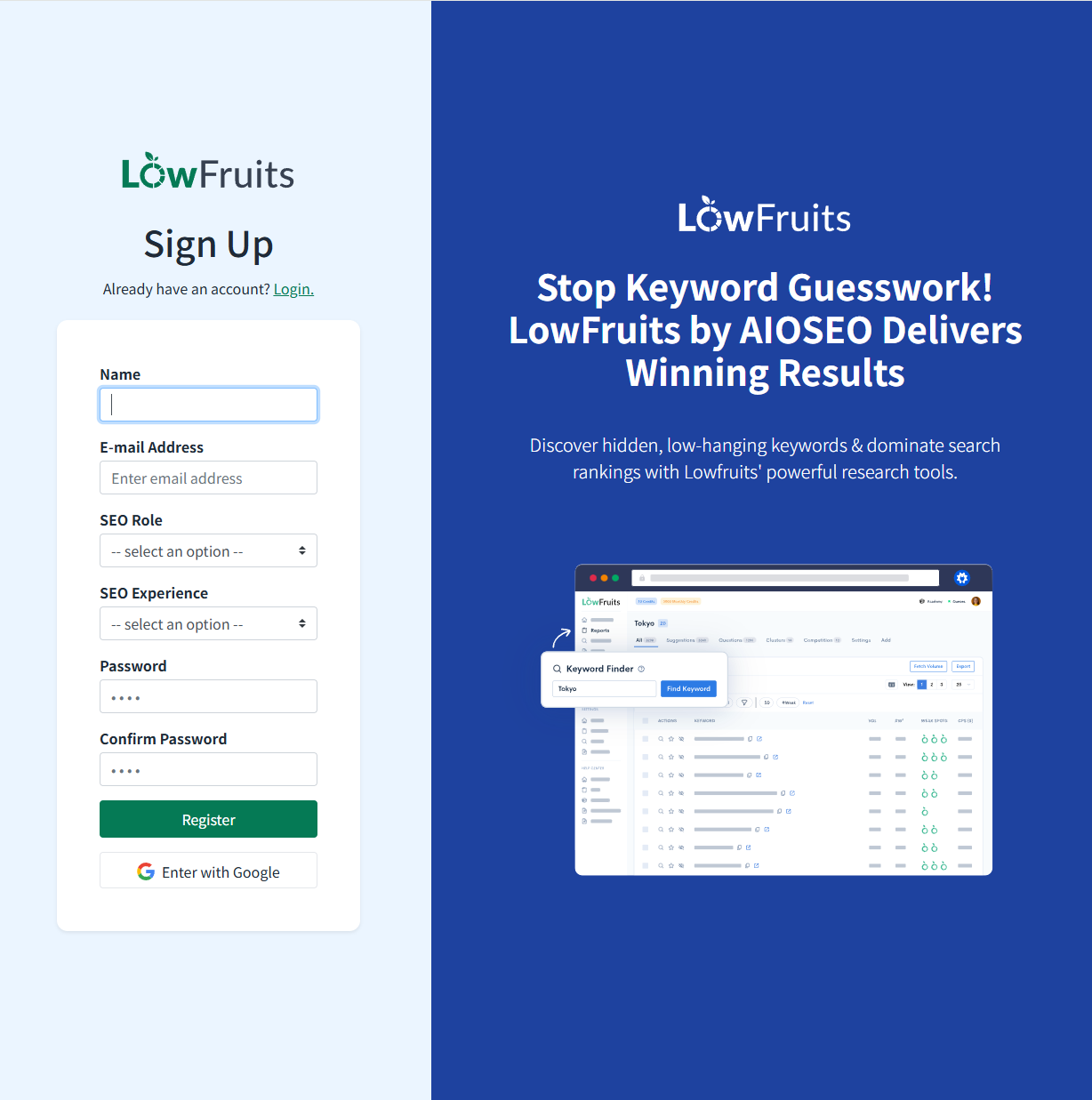
Signup: no card, and a button that isn’t what it says
The homepage button reads “Start Free Trial”, but its link goes to the pricing page. On the pricing page, “Get Started” under a paid plan opens a plain sign-up form: name, email, two dropdowns about your SEO role and experience, and a password. There is no payment field. We found no timed trial of the paid plans anywhere in this flow. What you get is a free account.
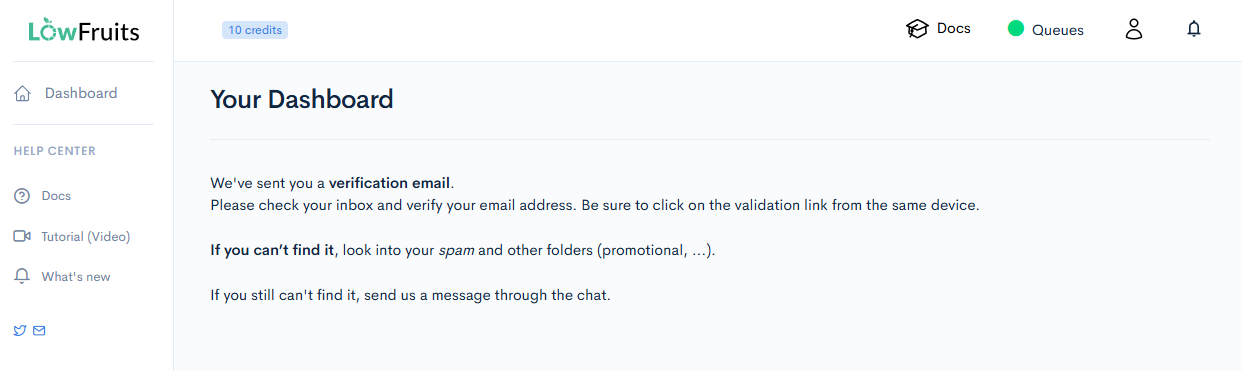
Two details worth knowing. The dashboard showed 10 credits from the first minute, a starter allowance the pricing page doesn’t mention (it only mentions 3 free keyword searches a week). And you must click the verification link from the same device you registered on.
The task: find keywords, then pay a credit to see anything about them
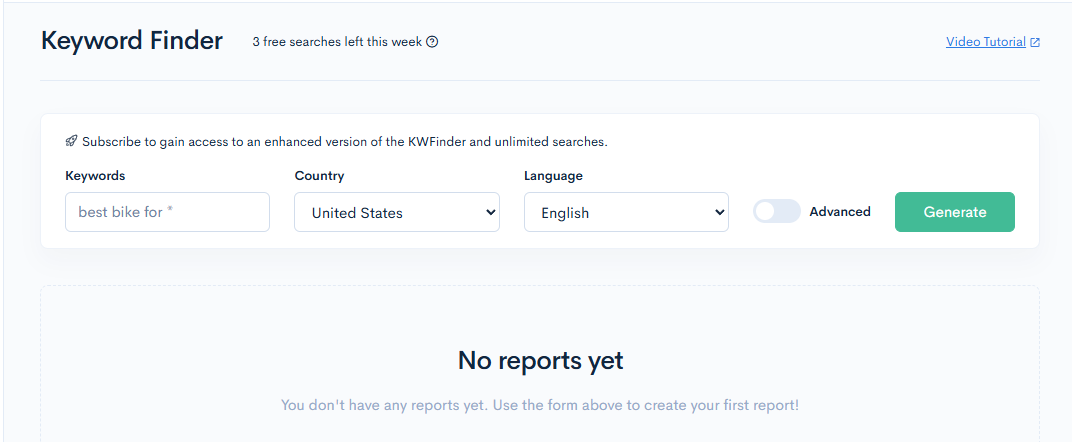
The Keyword Finder takes a seed with a * wildcard (its example is “best bike for *”) and pulls ideas from
Google autocomplete. It showed “3 free searches left this week” and an upsell line about an “enhanced version”
and “unlimited searches” for subscribers.
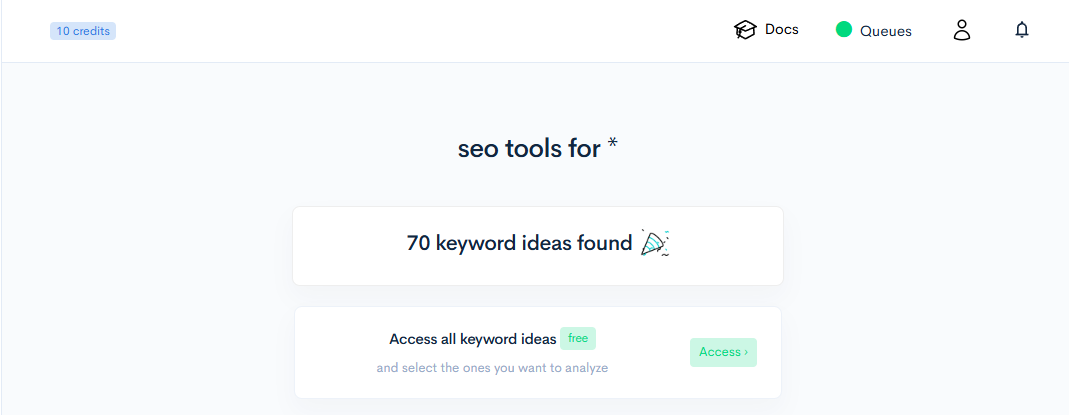
Our first seed, “free seo tools for *”, got a warning before we ran anything: “Might be too narrow”. Its tooltip says a seed with many words might be too narrow to generate ideas. We widened the seed to “seo tools for *”.
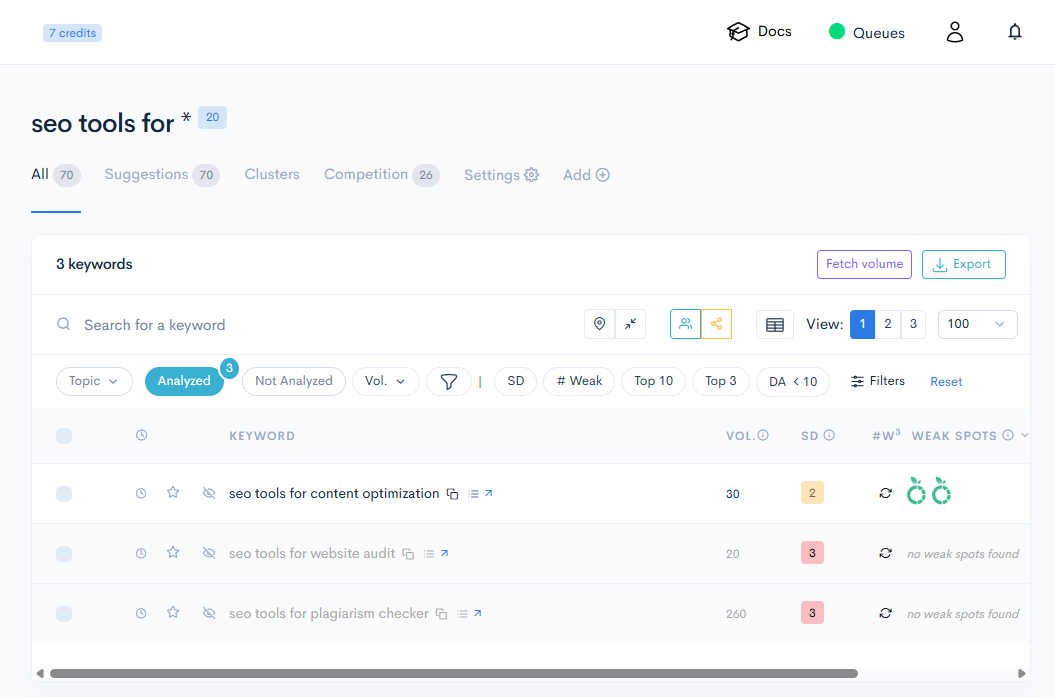
It found 70 keyword ideas, and generating them cost no credits: after we analysed three keywords (below) the balance was 7, which is 10 minus 3.
The list itself is free to open, but every number is blank until you analyse a row. Volume, difficulty and weak spots all read “not analyzed”, and a yellow note spells out the price: “1 keyword analyzed = 1 credit”.
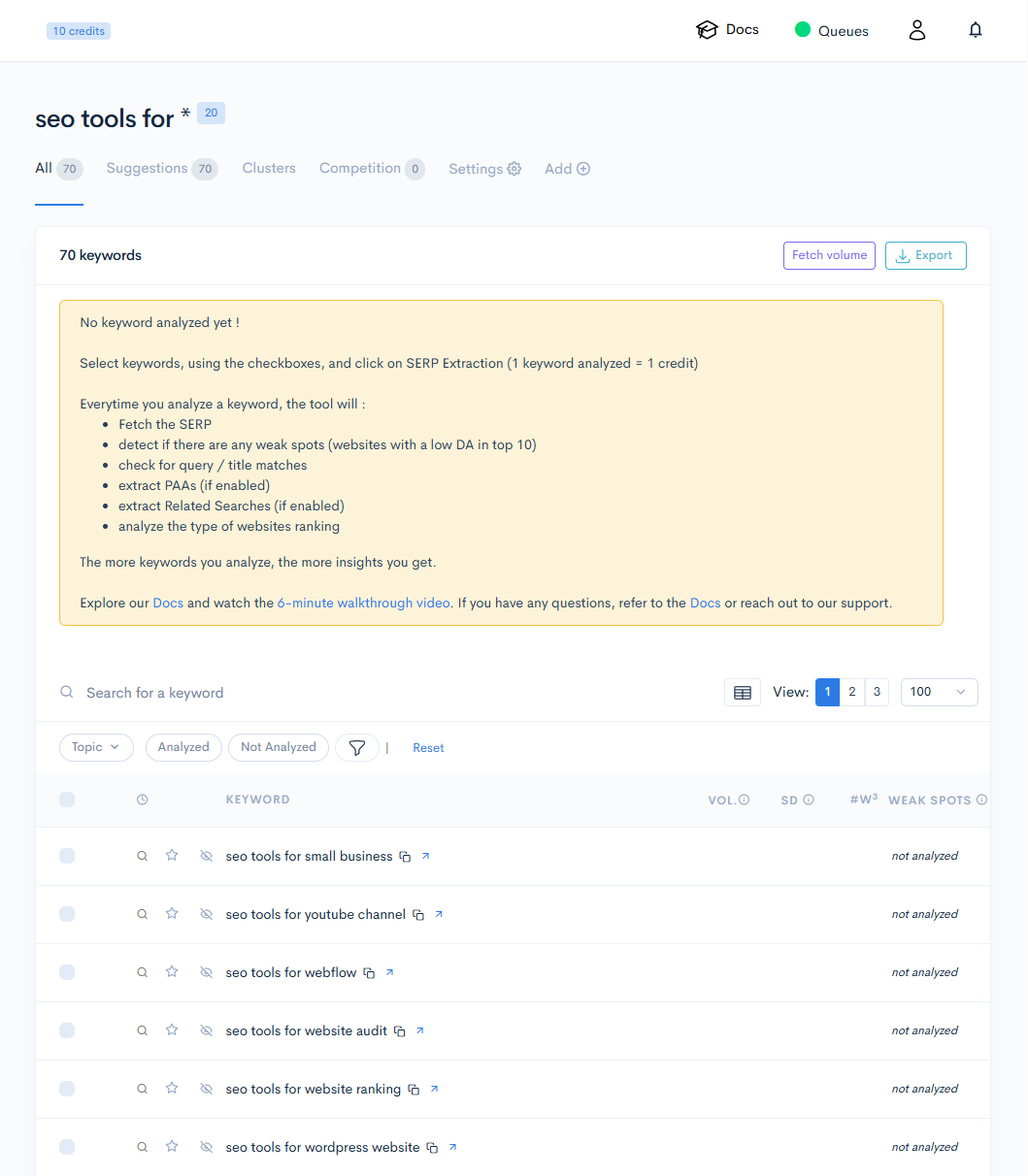
We analysed three keywords where we already have hands-on coverage on this site:
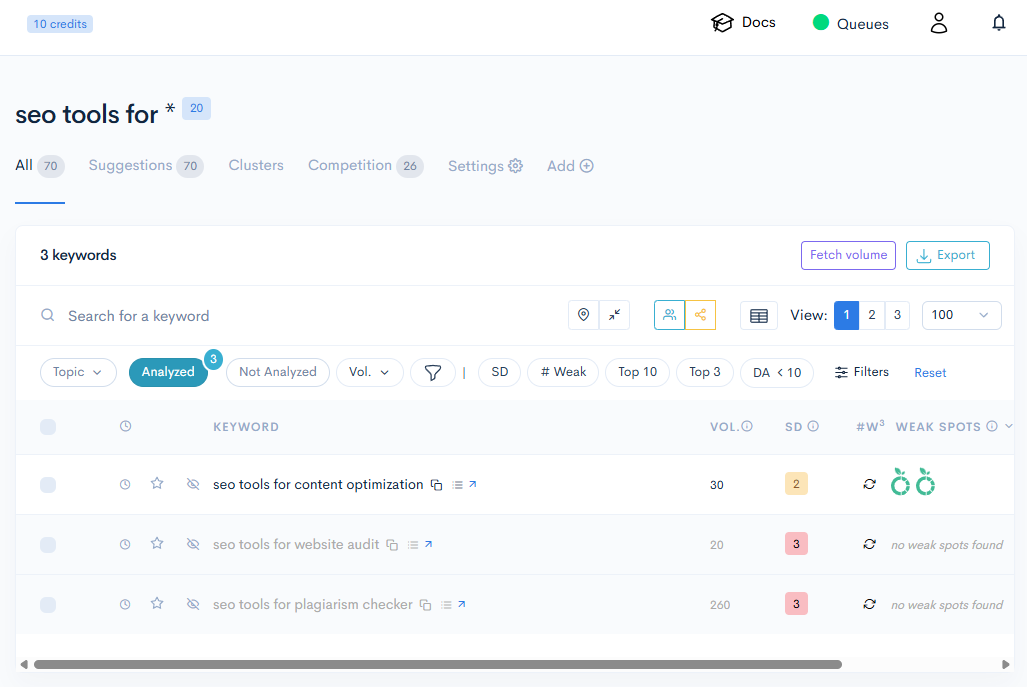
| Keyword | Volume | SD | Weak spots |
|---|---|---|---|
| seo tools for content optimization | 30 | 2 (Medium) | 2 |
| seo tools for website audit | 20 | 3 (Hard) | none found |
| seo tools for plagiarism checker | 260 | 3 (Hard) | none found |
One small annoyance: right after the analysis the credit badge still said 10. After a manual page reload it said 7, so three keywords cost three credits, as stated, but the counter doesn’t update on its own.
Checking the “weak spots” claim against real results
We didn’t want to take the weak-spot icons on faith, so we read their definitions and then checked them. The tool’s own tooltips say SD is a 1 (Easy) to 3 (Hard) score, and that weak spots are pages that can be easily outranked: a green fruit is a “Website with a domain authority below 20”, a blue fruit is “A forum or website with user-generated content”.
For “seo tools for content optimization” it flagged two green fruits: a company’s blog at position 6 with DA 18 and a personal blog at position 7 with DA 13. We then pulled the live Google results for the same query (country set to the US, personalisation off, shortly afterwards) and compared:
- Both flagged pages were really in the top 10, though at different positions than the tool recorded.
- Seven of the ten domains in the tool’s captured list also appeared in the nine results we pulled. The rest differed, and the Reddit result was a different thread. Results move with time and location, so we read that as broadly accurate capture, not as an error.
- We could not verify the DA numbers. They aren’t something we can reproduce for free, and the tool doesn’t say where they come from.
- One mismatch between the tooltip and the display. The tool classified a Reddit thread in that list as a “forum”, but it wasn’t counted among the weak spots, even though the tooltip says forums are. It may be deliberate (that page had a DA of 92 in the tool’s list), but the explanation and the screen don’t line up.
For the other two keywords it said “no weak spots found”. The top results we pulled for “seo tools for plagiarism checker” were mostly established vendors, which fits, though we can’t confirm their DA.
What none of this tells you is whether a brand-new site can outrank those pages. We haven’t tried.
Where the free part ends
On a free account, the sidebar items Explorer, Extract and Tracker carry an “S” badge, and the dashboard cards for Extract and Rank Tracker have an “Activate” button. We pressed one. It doesn’t turn anything on: it opens a subscription page with the plans. We did not buy anything.
Bulk Import is locked too. The Import page, meant for analysing a list of your own keywords, says “Purchase credits to import your own keywords for analysis”, even though we still had starter credits left. In what we saw, the free credits can only be spent on the ideas the Keyword Finder generates.
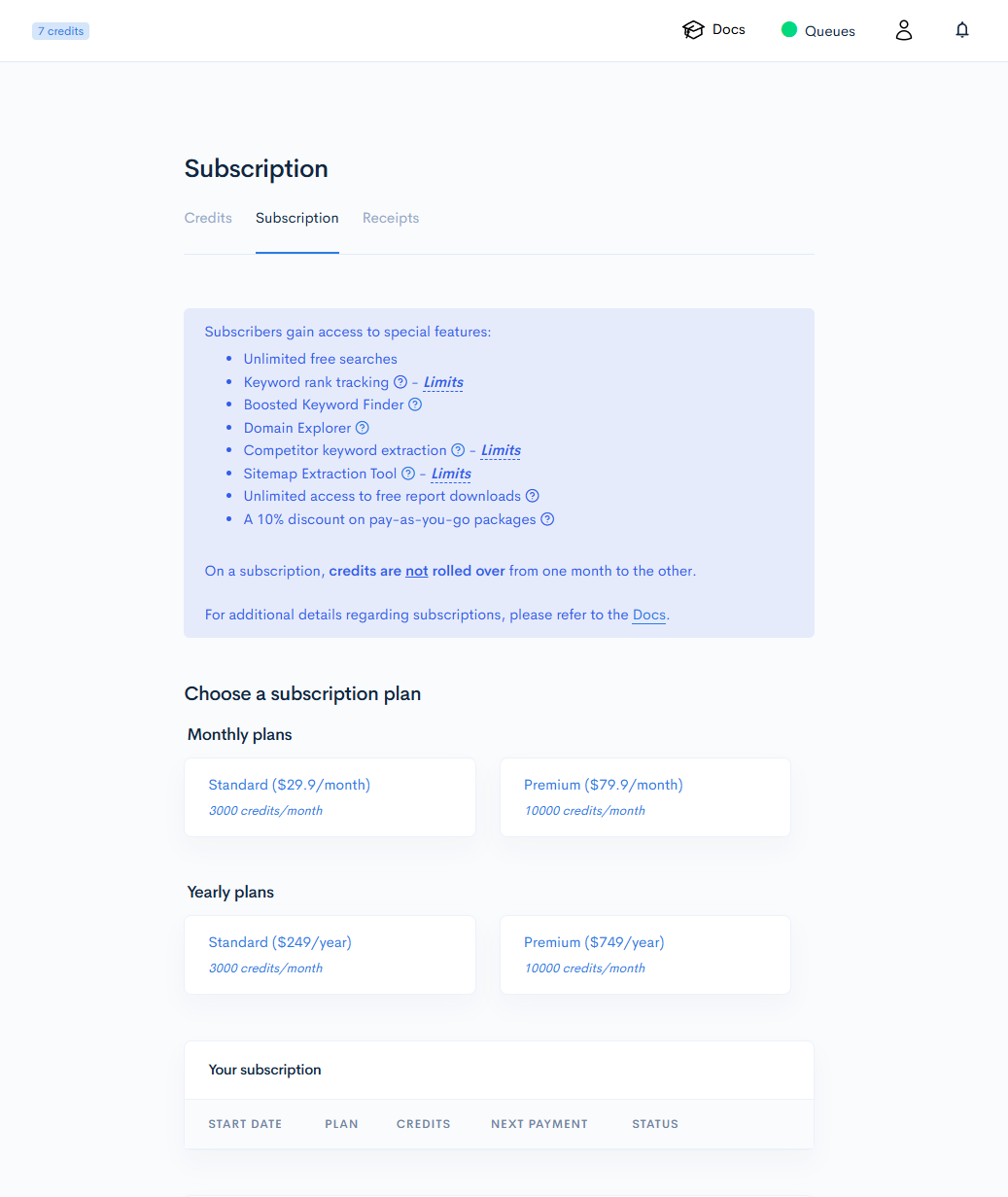
The prices there explain the pricing page. The headline “$20.75 / month” is the $249 yearly price divided by 12, billed as one yearly charge; paying monthly is $29.9. The Premium headline of $62.45 is, within rounding, $749 divided by 12. Subscription credits don’t roll over from one month to the next. Pay-as-you-go credits are $25 for 2,000 ($0.0125 each), up to $250 for 50,000, and expire after one year according to the pricing page.
The refund rule
The pricing page promises a 14-day, 100% refund “no questions asked”, but only “if you have used less than 100 credits”. Since each analysed keyword is one credit, that is roughly a hundred keywords, which is not much of a research session. Semrush’s guarantee has its own condition too (it excludes monthly billing; see our Semrush review). We bought nothing, so we haven’t tested whether LowFruits’ refund works as written. The in-app Credits page didn’t repeat the refund terms.
What we didn’t test
Domain Explorer, the rank tracker, competitor and sitemap extraction and the “boosted” keyword finder are subscription features, and we stayed on the free account. We also didn’t test the volume numbers’ accuracy, the Fetch volume and Export buttons, or other countries and languages. The pricing page brands the tool “LowFruits by AIOSEO”.
Affiliate program
LowFruits has one, and we joined it on October 3, after this review was written and published. Enrolment was instant, with no manual review. Its public program page offers 20% recurring commission for up to one year and a 180-day cookie window, but both the sign-up form and the affiliate dashboard describe “a 20% commission rate, 30-day cookie, and recurring commissions for subsequent purchases”. The official pages disagree on the cookie length and we don’t know which one applies. The program forbids paid ads, coupon sites, self-referrals and links in misleading content about the tool or its pricing. The “Try LowFruits” button at the bottom of this page is our affiliate link, and it is the only one on the page.
Bottom line
For a solo builder on a small budget, the useful way to use LowFruits is probably the cheap one: the 10 free credits and 3 weekly free searches to see whether the output helps, then a pay-as-you-go pack if it does, because the subscription mostly sells features we couldn’t test. The output was concrete and mostly checkable against the real results. What to watch for: the “Start Free Trial” button is just the pricing page, the monthly price shown is a yearly bill divided by 12, and the refund disappears after about a hundred keywords. See our roundup of every tool we’ve tested for where it fits.
This is an affiliate link — see our disclosure policy.